
My Coding Starter Path
Step 1: Find Your Match
Based on your brain type and goals.
Recommended Path:
Language NameReasoning will go here...
Your Roadmap
-
1
Start Simple: Advice...
-
2
The Trap to Avoid: Don't fall into "Tutorial Hell." Watch less, type more.
-
3
Your First Project: Project idea...
Practice Timer
Consistency beats intensity. How many hours will you study per week?
Most people think coding is like speaking alien.
If you have ever tried to read software code, it looks confusing. You see brackets, symbols, and words that don't make sense. This fear stops millions from starting. But the truth is different. Some coding languages feel almost like normal conversation. The question is not if you can learn. The question is which language matches your brain type.
The Myth of Mathematical Genius
You often hear that you need to be good at math to code. That is mostly false. Basic coding relies on logic, not calculus. You need to follow steps and connect ideas. Think of it like giving directions to a friend. If you tell someone to "turn left" instead of "go north," they will get confused. Computers are even less forgiving than friends. They follow exactly what you say.
This is why the simplest coding to learn focuses on natural language structures. It avoids complex mathematical symbols. Instead, it uses English keywords like "if," "then," and "while." This reduces the friction when you start your journey.
Why Python Takes the Top Spot
When experts discuss beginner paths, Python almost always wins. Released over thirty years ago, it was designed for humans, not machines. The syntax is clean. You do not spend hours managing semicolons or curly braces that break everything if you miss one character.
Consider how a sentence is built. In other languages, you might write ten lines to print a message. In Python, it takes one line. This simplicity allows you to focus on problem-solving rather than fixing typos.
- Readable Syntax: Code looks like readable sentences.
- Versatility: Works for websites, data analysis, and artificial intelligence.
- Community Support: Millions of users mean free help is everywhere.
Companies use it heavily today. Google, Spotify, and Instagram all rely on Python backend systems. Learning it opens doors in data science and web development sectors.
Block-Based Learning with Scratch
Sometimes typing is not the goal. For young learners or those purely interested in logic, Scratch offers a unique approach. Developed by MIT, this platform removes the keyboard entirely. Instead of typing commands, you drag colored blocks.
| Feature | Python | Scratch | HTML/CSS |
|---|---|---|---|
| Setup Required | Minimal (Text Editor) | None (Browser Based) | Low (Text Editor) |
| Primary Use | Automation & Data | Education & Logic | Web Design |
| Learning Curve | Low | Very Low | Low |
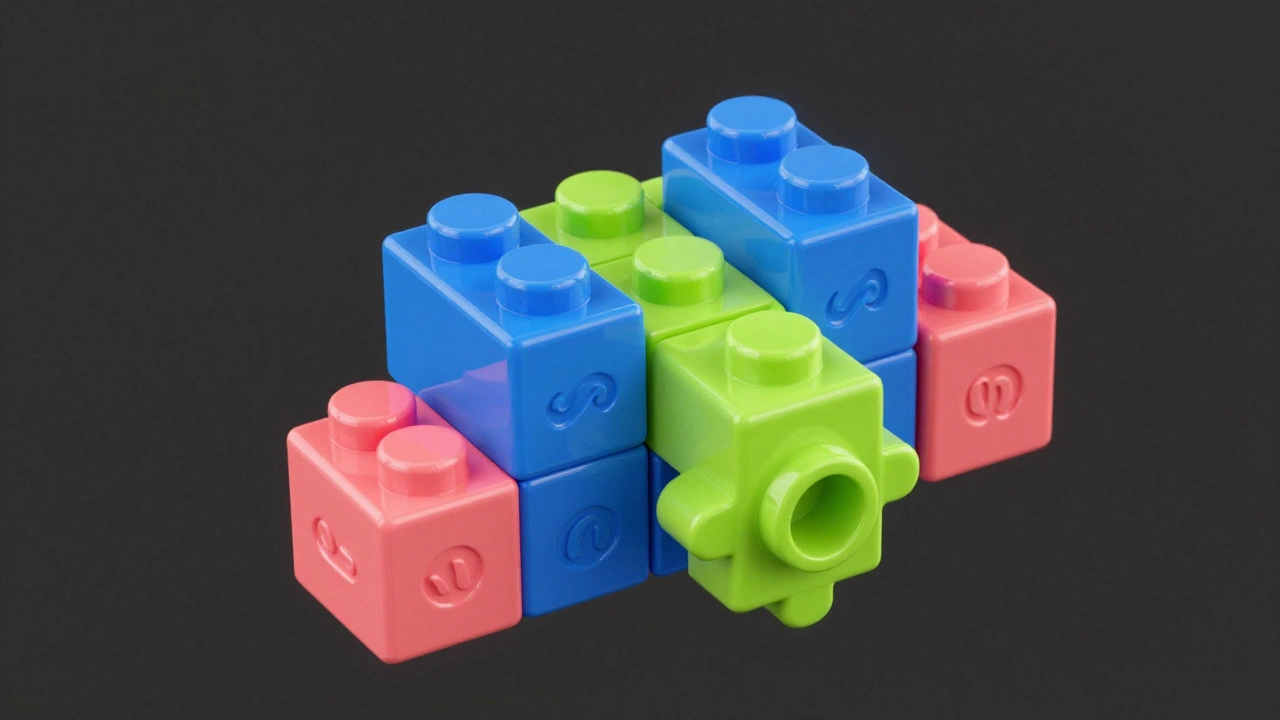
This system prevents syntax errors completely. You cannot put a block in the wrong shape. If it doesn't fit, it physically won't click. This teaches the concept of loops and conditionals without frustration. Many computer science teachers use Scratch before moving students to text-based languages.
If your goal is to understand how games work, Scratch is unbeatable. You build characters, set movements, and create interactions visually. Once you grasp the logic here, translating it to Python later becomes easier.
The Power of Visual Feedback
Another contender for the title of easiest is web markup. Specifically, HTML and CSS. These are not programming languages in the strict sense. They are structural and styling languages. HTML defines what is on the page, like a skeleton. CSS paints the look.
The advantage here is instant gratification. Change a color code, save the file, and refresh the browser. You see the result immediately. With Python, you might run a script and see numbers in a console. With HTML, you see a button appear on the screen.
This feedback loop keeps motivation high. You build something you can show a friend instantly. However, note that HTML alone does not handle logic. To make buttons work dynamically, you eventually need JavaScript.
A Practical Roadmap for 2026
Knowing what to learn is half the battle. Doing it requires structure. Here is a path that works for most adults starting from zero.
- Day 1-7: Install an editor. Visual Studio Code is the standard. It highlights colors and suggests corrections.
- Week 2: Complete a structured course. Look for interactive platforms like Codecademy or Coursera. Passive watching videos rarely works.
- Month 2: Build small projects. Automate a boring task, like renaming files. Create a simple calculator.
- Ongoing: Join a community. Discord servers and Reddit threads offer help when you get stuck.
Don't try to memorize everything. Good programmers use search engines daily. The skill is knowing how to phrase the question, not holding every command in your head.

Common Traps to Avoid
Tutorials hell is real. You watch video after video, feeling like you understand, but fail to write code yourself. This happens because watching mimics thinking, but it does not replace practice.
Another trap is choosing "hard" languages to prove intelligence. Starting with C++ or Assembly is like trying to write a novel in hieroglyphs. Sure, it works eventually. But the steep curve causes burnout early on. Stick to the easy entry points first. Once you understand the flow of control, switching languages is trivial.
Beware of paid bootcamps promising jobs in six months. While some deliver, many charge high fees for basic content found online for free. Always ask for alumni success rates before paying large sums. Most skills can be self-taught with discipline.
Tools That Make Life Easier
Your setup matters. A cluttered workspace slows your brain. Keep things simple. You do not need expensive hardware. A basic laptop handles Python perfectly fine. Focus on the software environment.
Integrated Development Environments, known as IDEs, are essential. They bundle editing, running, and debugging into one place. PyCharm is popular for Python. For web work, VS Code remains the king of lightweight editors.
Also consider version control. Git is the tool for saving history. It sounds technical now, but it acts like an undo button for your entire project. Knowing how to revert a change gives confidence to experiment without fear of breaking everything.
Do I need to know math to start coding?
You generally do not need advanced mathematics. Basic arithmetic helps, but logical thinking is far more important. Python and web development rely more on structure and organization than calculation.
How long does it take to learn Python?
To understand basics, you need about 3 to 6 months of consistent study. You can get started in weeks, but building professional-grade apps usually takes longer depending on the complexity of the project.
Is Scratch useful for adults?
Yes, Scratch is excellent for understanding algorithmic flow without syntax stress. It serves as a great stepping stone before transitioning to text-based languages like Python.
Which language pays the most?
Rust and Go are currently highly valued, but they are harder to learn. Python remains one of the highest-paid due to demand in data science and AI fields. Salary depends more on your role and seniority than just the language.
Can I learn coding without an internet connection?
Offline coding is possible once you install compilers and IDEs locally. However, learning resources and documentation usually require internet access for research and updates.