Google vs. E-Learning Platform Comparison
Compare the capabilities of Google's educational tools against traditional e-learning platforms. This tool helps you determine when Google's tools are sufficient versus when you need a complete learning management system.
Key Comparison
Check features below to see which platform meets your educational needs.
Google Tools
E-Learning Platform
Which should you use?
Google tools are ideal for:
- Teachers with limited budget
- Short workshops or training sessions
- Free tutorial learning on YouTube
- File sharing and collaboration
Use a traditional platform for:
- Certificates for your resume
- Structured step-by-step learning
- Preparing for certification exams
- Need for instructor or peer feedback
Is Google an e-learning platform? The short answer is no - but that doesn’t mean it isn’t deeply involved in how people learn online. If you’ve ever used Google Classroom, watched a YouTube tutorial, or shared notes via Google Drive, you’ve interacted with tools that power learning. But calling Google an e-learning platform is like calling a hammer a house. It’s a critical part of the structure, but not the whole thing.
What exactly is an e-learning platform?
An e-learning platform is a complete system designed to deliver, manage, and track education online. Think of platforms like Coursera, Udemy, or Khan Academy. They offer structured courses, certificates, progress tracking, quizzes, instructor interaction, and often payment systems. These platforms are built around the idea of formal learning journeys - from enrollment to graduation.
Google doesn’t do any of that. It doesn’t sell courses. It doesn’t issue certificates. It doesn’t curate lesson plans from educators. Instead, Google builds tools that others use to create those experiences. That’s a huge difference.
Google’s role in online learning
Google’s real contribution to education is its ecosystem of free, easy-to-use tools. Let’s break them down:
- Google Classroom: This is the closest thing Google has to an e-learning platform. Teachers use it to post assignments, grade work, and communicate with students. It’s not a course library - it’s a digital classroom. Over 150 million students and teachers worldwide use it daily.
- Google Drive and Docs: These let educators share materials, collaborate on projects, and store resources. No login needed. No paywall. Just access.
- YouTube: Millions of educational videos exist here. From physics lectures to language lessons, YouTube is one of the most used learning resources on the planet. But it’s not organized like a platform - you find content through search, not structured curricula.
- Google Forms: Used for quizzes, surveys, and assessments. Teachers build their own tests. Google just provides the form.
- Google Meet: Enables live classes, tutoring sessions, and virtual office hours. It’s a video call tool, not a learning system.
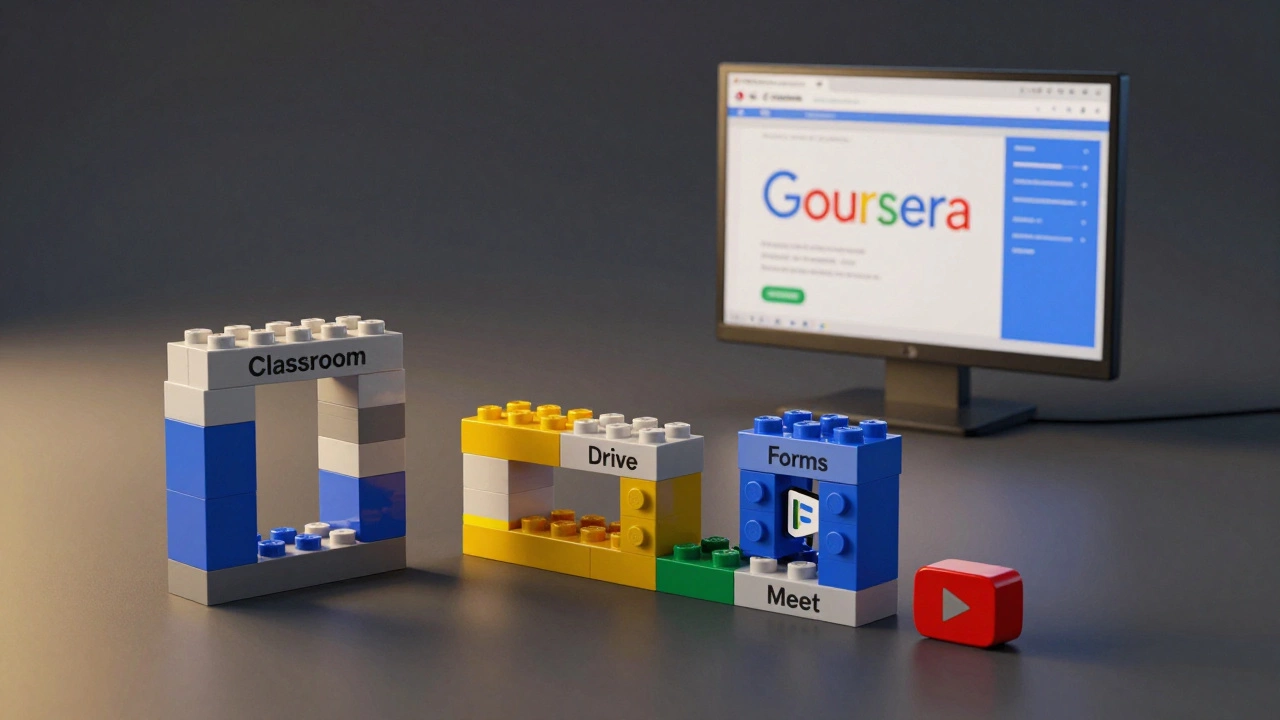
These tools are everywhere in schools, universities, and even corporate training. But they’re Lego bricks - not the finished model.
Why people confuse Google with an e-learning platform
The confusion comes from visibility. If you’re a teacher using Google Classroom every day, it feels like the platform. If you’re a student watching YouTube tutorials daily, it feels like learning. But Google doesn’t define the curriculum. It doesn’t hire teachers. It doesn’t grade your final exam.
Compare this to a real e-learning platform like Coursera. Coursera partners with Stanford, Yale, and IBM to offer accredited courses. You enroll. You pay. You get a certificate. You complete modules in sequence. Google doesn’t do any of that.
Google’s tools are often embedded inside real platforms. For example, a university might use Moodle (a real LMS) and integrate Google Drive for file sharing. That doesn’t make Google the platform - it just makes it a component.
What Google does NOT offer
Here’s what you won’t find on Google’s education tools:
- Course catalogs with ratings and reviews
- Structured learning paths (e.g., "Become a Data Scientist in 6 Months")
- Verified certificates tied to industry standards
- Payment systems for course purchases
- Student progress analytics at scale
- Community forums or peer learning networks
These are the core features of e-learning platforms. Google simply doesn’t build them. Why? Because Google’s goal isn’t education - it’s accessibility. They want tools to work for anyone, anywhere, for free. That’s why they’re so widely adopted.
Who uses Google tools for learning?
Google’s tools are most popular in:
- Public schools: Especially in the U.S., India, and parts of Europe where budgets are tight. Google Workspace for Education is free for qualifying institutions.
- Self-learners: People using YouTube for tutorials, Drive for note storage, and Docs for writing essays.
- Non-profits and small organizations: They can’t afford expensive LMS software, so they build learning systems using free Google tools.
But here’s the catch: these users are often building their own systems. A teacher might use Google Classroom for assignments, YouTube for video lessons, and Google Forms for quizzes. That’s three separate tools stitched together. That’s not a platform - that’s a DIY setup.
Google’s limitations in education
Google’s tools have real downsides for structured learning:
- No progress tracking: You can’t see if a student completed 80% of their course - because there’s no "course" to track.
- No content curation: YouTube has millions of videos, but only a few are accurate. Students need to sift through misinformation.
- No assessment rigor: Google Forms can create quizzes, but they can’t detect cheating or adapt questions based on performance.
- No certification: No employer recognizes a "Google Classroom completion" as proof of skill.
These aren’t bugs - they’re design choices. Google builds tools for flexibility, not control. That’s great for innovation. It’s terrible for standardized education.
When should you use Google instead of a real e-learning platform?
Use Google if:
- You’re a teacher with no budget
- You’re organizing a short workshop or training session
- You’re a student looking for free tutorials
- You need to share files or collaborate on documents
Use a real e-learning platform if:
- You want a certificate for your resume
- You need structured, step-by-step learning
- You’re preparing for a certification exam
- You want feedback from instructors or peers
There’s no right or wrong - just different goals.
What’s next for Google in education?
Google keeps adding features. AI-powered grading in Classroom. Better video search on YouTube. Integration with third-party apps. But they’re still not entering the e-learning platform market. Why? Because they’re already winning by being infrastructure.
They don’t need to compete with Coursera. They just need to make sure Coursera runs on Google Cloud. That’s how Google wins.
So is Google an e-learning platform? No. But if you’re learning online right now, chances are you’re using Google tools to do it.
Can I earn a certificate from Google for learning?
No, Google doesn’t issue learning certificates. You can earn certifications from Google in areas like Google Ads, Google Analytics, or Google Cloud - but those are professional certifications tied to specific products, not general education. For academic or skill-based learning, you need platforms like Coursera, edX, or Udemy.
Is Google Classroom a learning management system (LMS)?
Google Classroom is a lightweight LMS - but not a full one. It handles assignments, grading, and communication, but lacks features like progress tracking, course libraries, automated assessments, and integration with external content. Schools often pair it with other tools like Seesaw, Schoology, or Canvas to fill the gaps.
Are YouTube tutorials considered e-learning?
Yes, but informally. YouTube hosts millions of educational videos, and many people learn skills like coding, cooking, or languages through it. But because there’s no structure, no accountability, and no certification, it’s not classified as formal e-learning. It’s self-directed learning powered by a video platform.
Can I use Google tools to teach online courses?
Yes - many independent educators do. They use YouTube for video lessons, Google Drive to host PDFs, Google Forms for quizzes, and Gmail for student communication. But without a centralized platform, managing enrollment, payments, and certificates becomes messy. It works for small-scale teaching, but not for scaling a business.
Why don’t universities use Google as their main learning platform?
Most universities use dedicated LMS platforms like Blackboard, Moodle, or Canvas because they offer advanced features: gradebooks with weighted averages, plagiarism detection, timed exams, integration with library databases, and compliance with accessibility laws. Google Classroom is too simple for these needs. It’s great for K-12, but not for university-level rigor.