Programming Language Selector
Find Your Perfect First Language
Choose the language that matches your goals. The right choice will keep you motivated and help you learn effectively.
JavaScript
Build websites and interactive experiences
Best for: Web development, creating interactive websites
Python
Data analysis, automation, and AI
Best for: Beginners, data science, automation
Swift
iOS app development
Best for: iPhone app development
Kotlin
Android app development
Best for: Android app development
Your Recommendation
Next Steps
- Free learning platforms Free
- First project Simple
Want to start coding but don’t know where to begin? You’re not alone. Millions of people start coding every year-some to switch careers, others to build apps, websites, or just understand how tech works. The good news? You don’t need a computer science degree or years of experience to get started. All you need is curiosity and a willingness to try.
Choose your first language
There are dozens of programming languages, but you don’t need to learn them all. Start with one that matches what you want to do.
If you want to build websites, JavaScript is your best bet. It runs in every browser and lets you make buttons work, animations play, and forms submit. It’s also used on the server side with Node.js, so you can grow into full-stack development later.
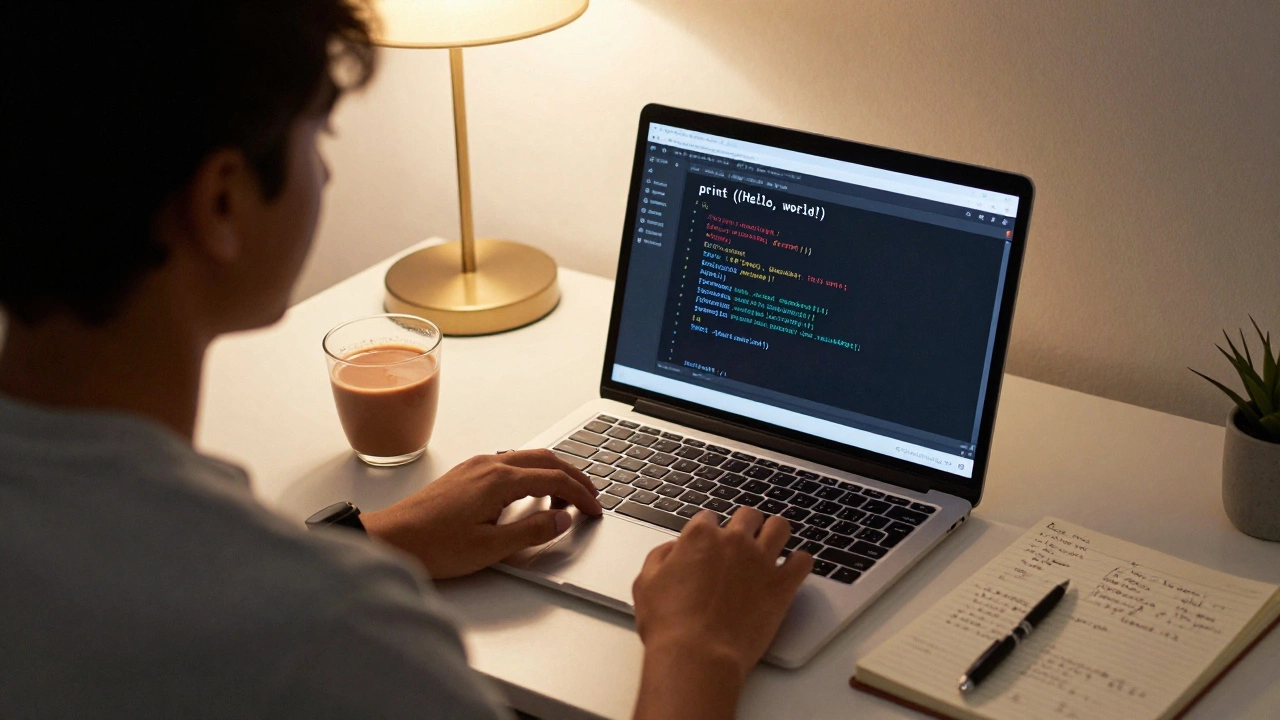
If you’re interested in data, automation, or AI, Python is the easiest to read and write. It uses plain English-like syntax. For example, printing text to the screen is just print("Hello, world!"). Python powers everything from Instagram’s backend to NASA’s data tools.
If you want to build mobile apps, Swift (for iPhone) or Kotlin (for Android) are the go-to choices. But these are harder for absolute beginners, so save them for later.
Most beginners pick Python or JavaScript. Pick one and stick with it for the first month. Switching too often just slows you down.
Use free, hands-on platforms
Books and videos are helpful, but you learn to code by doing-not just watching. The best way to start is with interactive platforms that give you instant feedback.
- freeCodeCamp teaches JavaScript, HTML, and CSS through real projects. You build a calculator, a tribute page, even a survey form-all while learning.
- Codecademy has bite-sized lessons with live coding windows. You type code, see results right away, and get corrected if you make a mistake.
- Scrimba lets you pause videos and edit code inside them. It’s like having a tutor right in your browser.
These platforms don’t ask for payment upfront. You can finish entire beginner paths for free. No credit card needed. Just start coding.
Build something small, right away
Don’t wait until you "know enough." Start building something-even if it’s tiny.
After learning how to print text, try this:
- Write a program that asks for your name and says "Hello, [your name]!"
- Create a webpage with a button that changes color when you click it.
- Make a to-do list where you can add and delete items.
These projects take 30 minutes to an hour. They’re not fancy, but they teach you how code connects to real results. You’ll feel a rush when your program actually works. That feeling keeps you going.
GitHub is where coders store their projects. Create a free account and upload your first project. Even if it’s simple, having it on GitHub shows you’re serious. Employers and mentors care more about what you’ve built than what you’ve read.
Learn how to read error messages
Every beginner gets errors. A lot of them. "SyntaxError," "undefined variable," "404 not found"-they look scary at first. But they’re your best friend.
When you see an error:
- Read it carefully. It often tells you exactly what’s wrong and on which line.
- Copy the exact error message and paste it into Google.
- Look for answers on Stack Overflow or the platform’s help docs.
Most errors you’ll face have been solved before. You’re not broken. You’re learning. The ability to fix errors is more valuable than memorizing syntax.
Don’t memorize code-learn how to search
You don’t need to remember every command. Even experienced developers Google things daily.
Instead of trying to memorize how to loop through a list, learn to ask: "How do I loop through an array in Python?" Then copy the example, run it, and tweak it. That’s how real coders work.
Start using documentation. Python’s official docs are clear and well-organized. JavaScript’s MDN Web Docs are the gold standard. Bookmark them. They’re more reliable than random YouTube tutorials.
Join a community
Coding alone is hard. Joining a group makes it easier.
- Reddit’s r/learnprogramming has thousands of beginners asking the same questions you have.
- Discord servers like The Odin Project or freeCodeCamp’s community offer live help.
- Local meetups (even virtual ones) let you talk to people who’ve been where you are.
Ask questions. Don’t be afraid to sound "stupid." The people who’ve been coding for years were once beginners too. Most are happy to help.
Set a realistic schedule
You don’t need to code for 8 hours a day. In fact, that leads to burnout.
Try this instead:
- Code for 30 minutes every weekday.
- Take weekends off to rest or review what you learned.
- Track your progress in a simple notebook or app.
Consistency beats intensity. Someone who codes 30 minutes a day for 30 days will know more than someone who crams 5 hours once a week.

What to expect in the first 30 days
By the end of a month, if you’ve spent 10-15 hours total, you’ll be able to:
- Write a program that takes input and gives output
- Use variables, conditionals (if/else), and loops
- Build a simple webpage with HTML, CSS, and JavaScript
- Fix basic errors without panicking
- Upload your first project to GitHub
That’s enough to apply for internships, join hackathons, or even start freelancing on small gigs. You don’t need to be an expert to start earning or contributing.
Common mistakes to avoid
- Switching languages too often - Stick with one for at least 6 weeks.
- Watching tutorials without coding - Pause every 2 minutes and try it yourself.
- Comparing yourself to others - Some people learned Python in high school. That doesn’t mean you’re behind.
- Waiting for the "perfect" course - There’s no perfect path. Just start.
Progress isn’t linear. Some days you’ll feel stuck. That’s normal. Keep going.
Next steps after the first month
Once you’re comfortable with basics:
- Build a portfolio website to show your projects
- Try a small open-source project on GitHub
- Learn how to use Git and GitHub properly
- Explore one area: web dev, data analysis, automation, or mobile apps
There’s no single path. Some people land jobs in 6 months. Others take a year. What matters is that you’re building things and learning from them.
Do I need to be good at math to code?
No. Basic arithmetic is enough for most coding tasks. You don’t need calculus or advanced algebra. Logic matters more than math. If you can follow step-by-step instructions, you can code.
How long does it take to get a coding job?
It depends on your goal. For entry-level roles like junior developer or technical support, 6-12 months of consistent practice is typical. Some people land internships or freelance gigs sooner. Focus on building 3-5 solid projects. That’s what employers look at-not certificates.
Is it too late to start coding at 30, 40, or older?
Absolutely not. Many people switch to coding in their 30s, 40s, and even 50s. Tech values problem-solving skills, not age. Companies hire people who can learn, adapt, and build things-not those who graduated last year.
What if I get stuck and can’t fix my code?
That’s normal. Take a 10-minute break. Come back with fresh eyes. Search the exact error message online. Ask in a community forum. Most issues are solved by others already. If not, post your code clearly and ask for help. People respond better when you show your effort.
Should I learn HTML and CSS before JavaScript?
Yes, if you want to build websites. HTML structures content, CSS styles it, and JavaScript makes it interactive. Learn them in that order. You don’t need to master CSS before moving to JavaScript, but you should understand the basics of both before combining them.
Final thought: Just start
You don’t need permission to begin. No degree. No certificate. No approval from anyone. Just open your browser, go to freeCodeCamp or Codecademy, and type your first line of code. The rest follows.
The world needs more people who can build things. Not because coding is trendy-but because it’s powerful. And you’re already on the path. Keep going.